


用 OpenCode 让 GitHub 仓库自动修复
 AI 摘要
AI 摘要前段时间 OpenCode 非常火爆。简单来说,它是一个开源、免费的 AI 编程代理(AI coding agent),支持多种大模型提供商,还内置了免费模型(如 GLM-4.7)。虽然总体体验下来并没有网上吹得那么神,但其中一项功能确实很有意思:
OpenCode 可以集成到 GitHub 的 Issue 和 Pull Request (PR) 工作流中,通过 GitHub Actions 运行任务。
这意味着我们可以通过提 Issue 的方式驱动 OpenCode 执行任务,比如自动分类 Issue、修复 Bug 等。
由于任务是在 GitHub Actions Runner 中运行,因此可以访问仓库中的代码和文件,自动创建分支并提交 PR,且安全性有保障。
本文就来手把手教你如何配置 OpenCode 在 GitHub Actions 上运行。
安装 OpenCode GitHub Action
首先确保你已在本地安装 OpenCode(可通过 npm i -g opencode-ai 安装)。
在你的本地项目根目录(已关联 GitHub 仓库)中,打开终端并运行:
opencode github install执行后,浏览器会自动弹出授权页面,点击 Install 将 OpenCode GitHub App 安装到你的仓库。
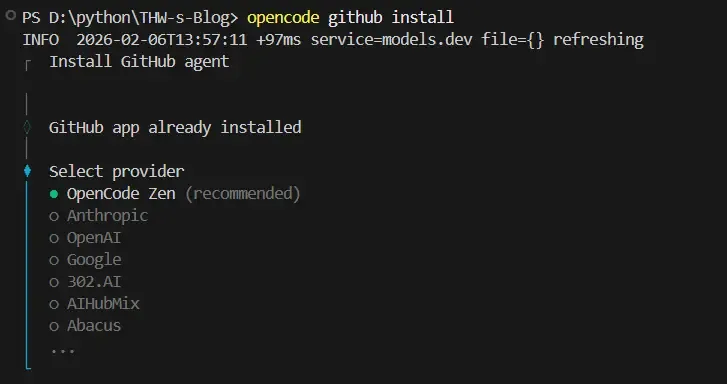
安装完成后,终端会提示你选择模型提供商:
◆ Select provider│ ● OpenCode Zen (recommended)│ ○ Anthropic│ ○ OpenAI│ ○ Google│ ○ 302.AI│ ○ AIHubMix│ ○ Abacus│ ...⚠️ 注意:目前仅支持通过 API Key 调用模型,即使是免费模型也是如此。
这里我选择 OpenCode Zen,回车确认。
工具会自动生成 .github/workflows/opencode.yml 文件,并输出下一步指引:
“Added workflow file: ".github/workflows/opencode.yml"│└ Next steps:
1. Commit the `.github/workflows/opencode.yml` file and push 2. Add the following secrets in org or repo (H2O-ME/THW-s-Blog) settings
- OPENCODE_API_KEY
3. Go to a GitHub issue and comment `/oc summarize` to see the agent in action
Learn more about the GitHub agent - https://opencode.ai/docs/github/#usage-examples”请按提示将该工作流文件提交并推送到仓库。
获取并配置 API Key
接下来获取 OpenCode Zen 的 API Key。前往 https://opencode.ai/auth 注册并登录账号,控制台页面会直接显示 OpenCode Zen 的 API Key。
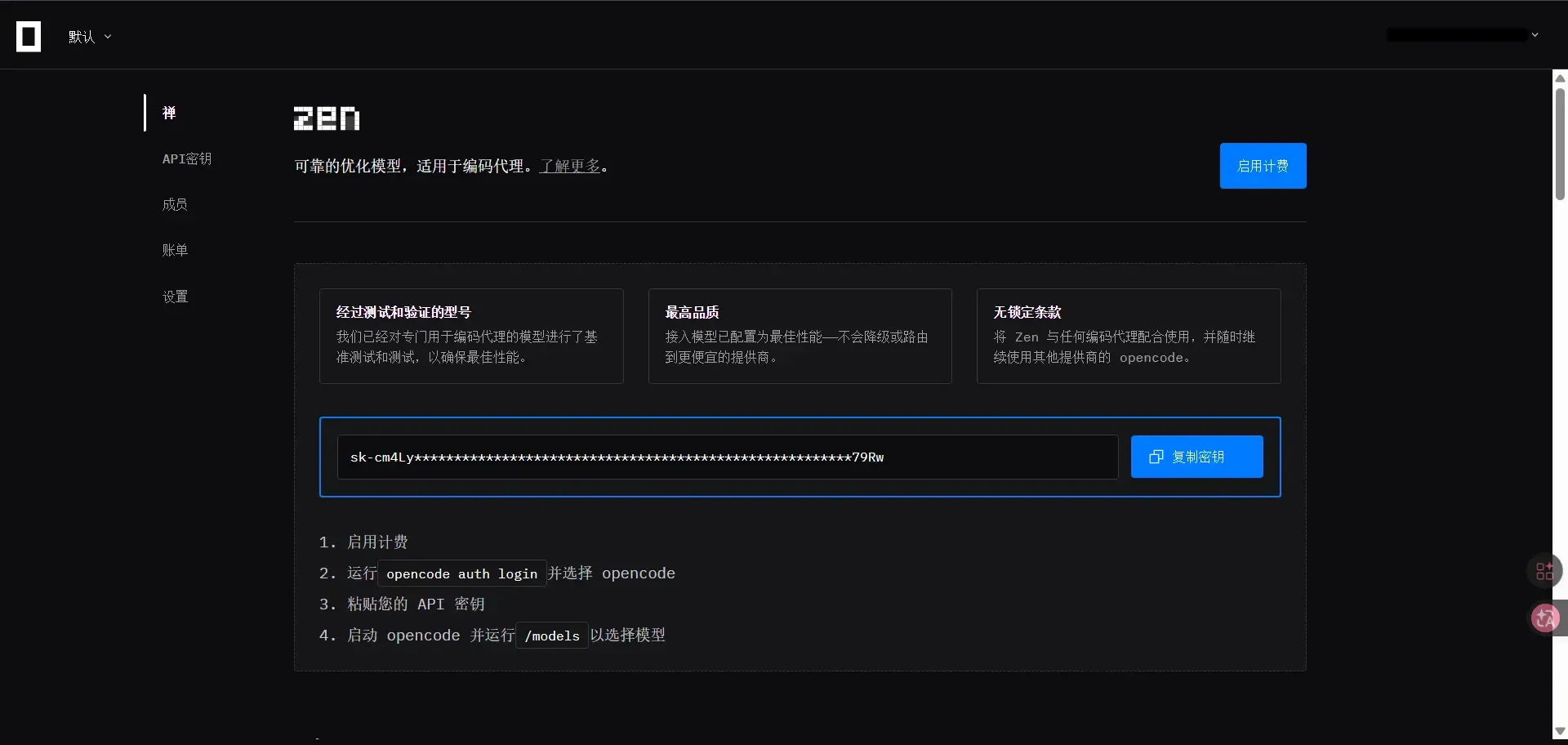
复制该 Key,然后进入你的 GitHub 仓库:
- 点击 Settings
- 左侧菜单选择 Secrets and variables > Actions
- 点击 New repository secret
- 名称填写
OPENCODE_API_KEY,值粘贴刚才复制的 API Key - 点击 Add secret
此 API Key 将用于调用模型服务。
提个 Issue 测试一下
现在一切就绪!我们来测试一下。打开你的 GitHub 仓库,点击 Issues → New Issue。例如,我让它更新博客“关于”页面中的访问量信息,然后提交这个 Issue。
在评论区输入以下指令触发 OpenCode:
/opencode 你来解决这个问题提交后会自动触发一个 Action。稍等片刻,你会看到 OpenCode 已为你创建了一个 PR。你可以点击查看它对代码做了哪些修改;若无问题,即可合并到 main 分支。

点击进入 Action 日志,可以看到详细的运行流程:
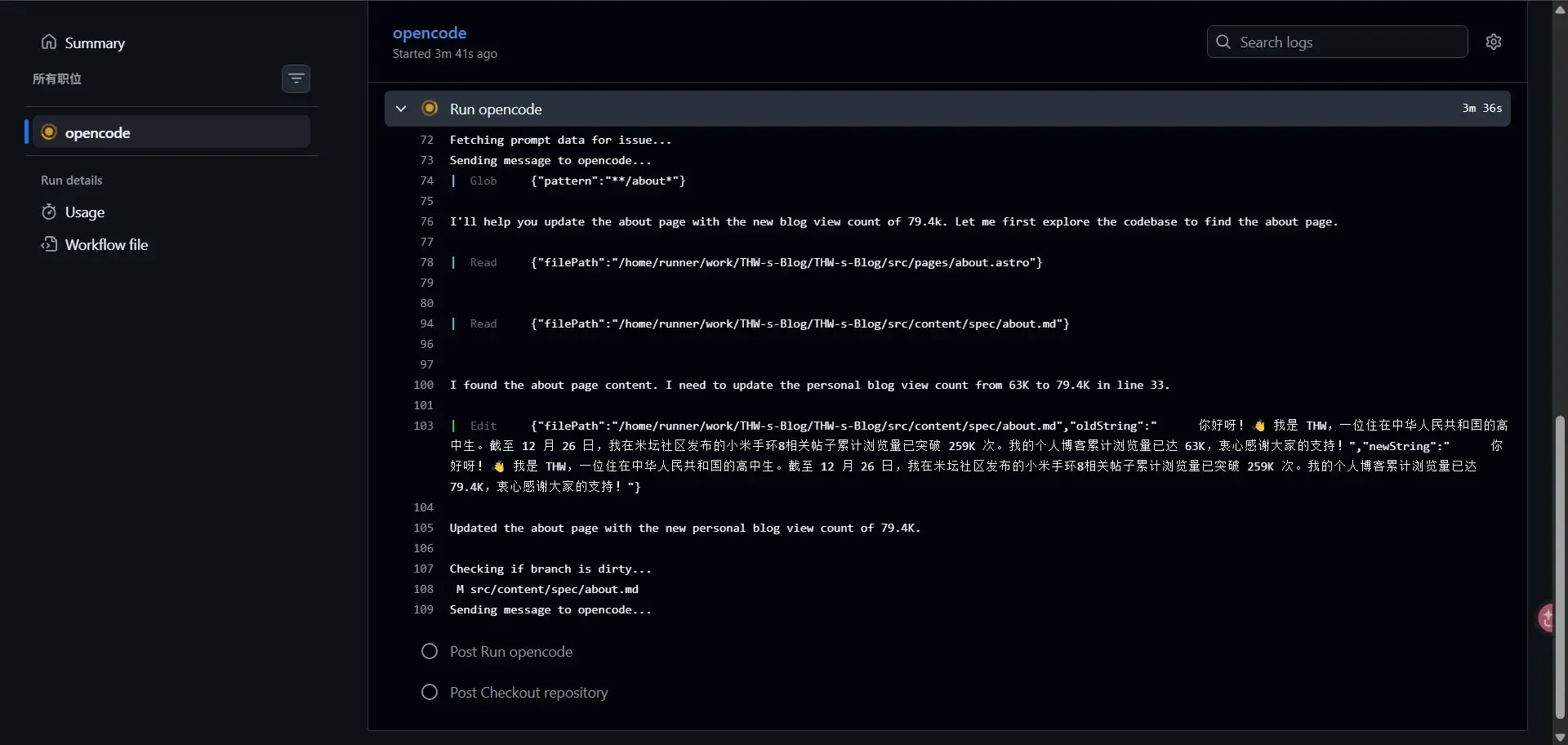
其内部工作流大致如下:
我的博客部署在 EdgeOne Pages 并开启了自动部署,因此 PR 合并后网站会自动重新部署。随后即可看到“关于”页面的访问量信息已更新为了79.4K。
结语
总的来说,OpenCode 的这项功能可以显著降低我们重复性维护任务(如更新友链等)的工作量,但如果是要添加新功能或进行大范围的重构,还是需要我们人工在本地并进行严谨的测试与审查。